
A Video Analytics Server for 100+ Cameras: Three Types of Tasks and Real-World GPU Math
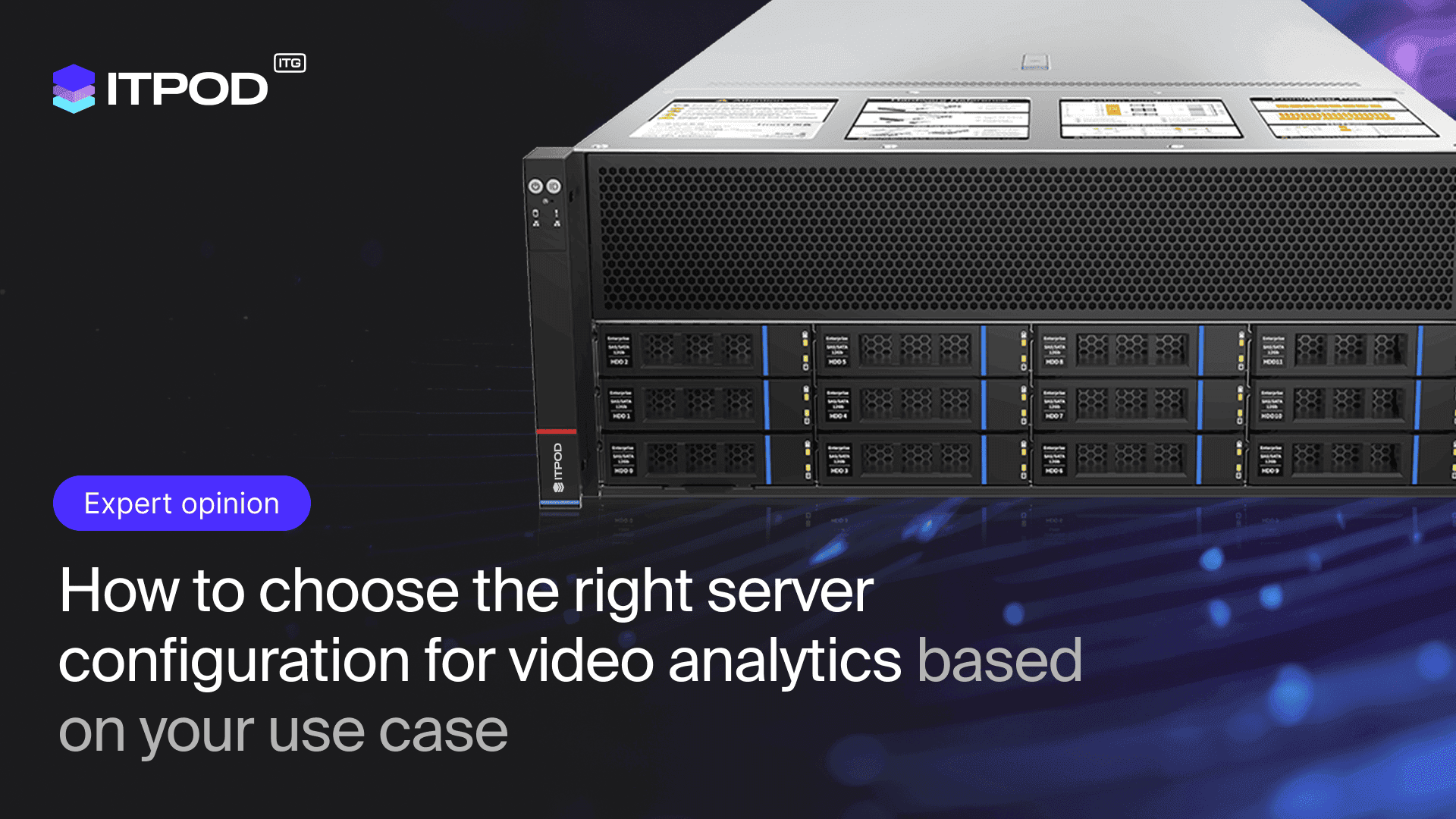
A single ITPOD-SYR4108G-D12R-G3server in a 4U form factor, equipped with eight NVIDIA RTX PRO 4500 Blackwell GPUs, handles video analytics for a facility with 280 Full HD cameras: real-time object detection, smart archiving, and intelligent search within the archive. In this article, we show you how to evaluate such a system: how many streams a single card decodes and analyzes, where the video memory is allocated, and why the platform based on AMD EPYC 7003 and DDR4 offers the best price per stream on the market.
In short:
- The capacity of a video analytics system is determined by the lowest of three GPU resources: the hardware decoder (NVDEC), inference speed, and video memory capacity.
- One NVIDIA RTX PRO 4500 Blackwell: 32 GB GDDR7 ECC, 2 NVDEC engines + 2 NVENC engines, 165 W (Server Edition). ITPOD’s conservative estimate: 35 Full HD streams at 25 fps with object detection per card.
- ITPOD-SYR4108G-D12R-G3 server: up to 8 GPUs, a total of 256 GB of video memory and 16 NVDEC engines, up to 128 CPU cores (2 x AMD EPYC 7763), up to 2 TB of DDR4, 12 drive bays (including 4 NVMe).
- Cost-effectiveness: The mature EPYC 7003 platform and DDR4 RDIMM memory are significantly cheaper than current DDR5 platforms, and the 165-W single-slot cards deliver GeForce RTX 5090-class performance at a density of 8 cards per 4U.
What Tasks Does GPU-Based Video Analytics Solve?
The success of a video analytics project depends 80% on the correct selection of a hardware accelerator. The main mistake when choosing is to select the “most powerful” card without understanding what the system will be doing most of the time. Workloads fall into three categories, each with its own requirements for latency, throughput, and video memory.
1. Real-time detection: every millisecond counts
The camera captures an event, and the system responds immediately. Security, access control, and industrial automation: a latency of more than 300 ms is unacceptable. Typical scenarios: face and license plate recognition (LPR) at checkpoints, monitoring of hard hats and protective gear, perimeter breach detection, and abandoned object detection.
A neural network (YOLO, ResNet) processes frames on the fly: a GPU server receives streams from the cameras, the model classifies objects, calculates trajectories, and sends events to the control system. Key hardware requirements: inference time of less than 50 ms per frame, stable FPS across dozens of cameras simultaneously, support for CUDA and TensorRT, and reliable cooling without throttling.
In the Russian market, the Trassir platform (flexible load balancing between CPU and GPU) and the Eltex EVI platform (microservice architecture, containers with detectors) operate using this scenario. Both are deployed on ITPOD servers.
2. Smart archiving: saving terabytes without losing events
Continuous recording from 100 Full HD cameras takes up about 100 TB per month. Smart archiving solves this problem fundamentally: the accelerator processes the stream through a detector; significant events are saved in high quality along with metadata (time, event type, coordinates, descriptors), while the rest is stored in a daily ring buffer and overwritten. The result: 10 times less storage space—instead of 100 TB per month, only 10 TB remains.
This task doesn’t require record-breaking FPS. What matters is 24/7 stability (server graphics cards with ECC memory are more reliable here than gaming ones), a low TDP with a constant load of about 50%, and an NVDEC hardware decoder, which offloads H.264 and H.265 decoding from the CPU.
3. Post-analysis: intelligent search of the archive
“Investigation” mode: An operator needs to find all instances over the past week when a person wearing a red hard hat entered Workshop No. 3. Without AI, this would take hours of manual rewinding; with AI, it’s a natural-language query that generates clips in minutes. Use cases: analyzing industrial incidents, quality control on the assembly line, and collecting datasets to train new models.
Here, it’s not latency that’s critical, but throughput: terabytes of archive data need to be processed in minutes. For batch processing in 64-frame batches, you need a large amount of video memory, fast NVMe drives for the active portion of the archive, and support for low-precision INT8 and FP8 formats, which speed up searches by about three times without any noticeable loss of quality.
The Math Behind It: How Many Video Streams Can a Single GPU Card Process?
In video analytics, a card’s capacity is calculated using the formula: number of streams = min(decoder limit, inference limit, video memory limit). Let’s break down each limit using the NVIDIA RTX PRO 4500 Blackwell as an example.
| Parameter | Value |
|---|---|
| Video Memory | 32 GB GDDR7 with ECC, 896 GB/s |
| CUDA cores | 10,496 (Blackwell architecture) |
| Tensor performance | up to 811 TFLOPS FP8, up to 1.6 PFLOPS FP4 (NVIDIA peak values) |
| Video engines | 2 x NVDEC (6th generation) + 2 x NVENC (9th generation), H.264/HEVC/AV1 decoding, including 4:2:2 |
| MIG | 2 isolated instances, 16 GB each |
| Power consumption | 165 W, single-slot passive FHFL design |
| Interface | PCIe 5.0 x16, backward compatible with PCIe 4.0 x16 |
Limit 1: Hardware Decoding (NVDEC)
Each stream from a camera must first be unpacked. Two sixth-generation NVDEC engines decode, according to our engineering estimates based on the NVIDIA Video Codec SDK database, a total of approximately 1,500 Full HD HEVC frames per second. At 25 fps, that’s 60 Full HD streams or 15 4K streams per card. For H.264, the sixth-generation NVDEC delivers up to a twofold increase in performance compared to the previous generation. This is an estimate, not a spec: the exact value depends on the codec, bitrate, and profile.
Limit 2: Neural Network Inference
A YOLO-class detector (640-px input tensor, TensorRT, INT8) delivers about 400 frames per second on a card of this class. The analysis mode determines the next step. Full analysis of each frame at 25 fps requires 16 threads. Analyzing 10 frames per second per thread—standard practice for detecting people and vehicles—yields a theoretical 40 threads; taking into account trajectory tracking and overhead, we allocate 35 threads per map. In practice, inference becomes the bottleneck, while the decoder maintains a margin.
Limit 3: Video Memory (32 GB)
Video memory is consumed by three components: the TensorRT model engine (up to 0.5 GB per model), buffers for decoded frames (about 50 MB per stream in a DeepStream-class pipeline), and activations during batch processing. 35 streams with a single detector occupy about 2.5 GB. The 32 GB capacity allows an entire model cascade to be run simultaneously on a single card—including a detector, trajectory tracker, ReID, license plate recognition, and face recognition—while still leaving memory available for batch search of an archive with a batch size of 64. Cards with 8–16 GB can no longer accommodate such a cascade.
How many cameras does a single ITPOD-SYR4108G-D12R-G3 server support?
The ITPOD-SYR4108G-D12R-G3 server supports up to 8 GPU cards via a CPU-GPU switch. With eight RTX PRO 4500 Blackwell cards, the platform provides a total of 256 GB of video memory, 16 NVDEC engines, and 16 NVENC engines, with the GPU subsystem consuming approximately 1.3 kW.
| Subsystem | Specifications | Role in Video Analytics |
|---|---|---|
| Form Factor | 4U | 8 GPUs in a single standard rack-mount chassis |
| Processors | 2 x AMD EPYC 7003 (Milan), up to 2 x 7763 = 128 cores / 256 threads | Reception and demultiplexing of hundreds of RTSP streams, VMS, metadata databases, vector search |
| Memory | 32 DDR4 RDIMM slots at 3200 MHz, up to 2 TB | Hot metadata and index cache, in-memory event search |
| GPU | Up to 8 double-width cards, PCIe 4.0 x16 via CPU-GPU switch | Decoding, inference, batch search |
| Storage | 12 hot-swappable 2.5" bays: SATA/SAS, 4 of which support NVMe | Hot archive layer and metadata database on NVMe. Solid-state drives up to 15.3 TB: up to 61 TB on the NVMe layer and up to 183 TB total—enough for almost any task |
| Network | 2 x 10GbE RJ45 (Intel X710) + 5 PCIe 4.0 x8 slots | Stream ingestion: 280 Full HD cameras at 4 Mbit/s each consume ~1.1 Gbit/s |
| Power and Cooling | 4 power supplies up to 2,600 W in a 3+1 configuration, 12 hot-swappable fans | Redundancy designed for full 24/7 GPU load |
Total capacity with eight cards: 280 Full HD streams at 25 fps with object detection (conservative estimate based on 10 fps per stream). Hybrid role distribution across cards handles all three tasks with a single server: for example, 3 cards for real-time detection, 3 for smart archiving, and 2 for post-analysis. MIG in Server Edition further divides the card into two isolated instances of 16 GB each, which is convenient for multi-tenant installations.
Single-slot passive cards rated at 165 W are cooled by standard 4U chassis fans without liquid cooling circuits and without frequency degradation under constant load. The platform has also been tested with NVIDIA H200, L40S, A800, and A100 for tasks requiring more video memory per card.
Why EPYC 7003 and DDR4 Reduce Project Costs
Video surveillance has historically been funded on a residual basis relative to core IT systems, so the cost per stream determines the fate of the project. The ITPOD-SYR4108G-D12R-G3 platform is built on two mature technologies, and this is a deliberate choice in favor of cost-effectiveness.
AMD EPYC 7003 (Milan). This is the previous generation of processors: the platform is cheaper than current models, yet two EPYC 7763 processors provide 128 physical cores per host. This is more than enough for video analytics: the CPU in such systems handles stream ingestion, orchestration, and databases, while the computational load falls on the GPU. There’s no need to pay for the latest generation of CPUs here.
DDR4 RDIMM instead of DDR5. Amid the AI boom, DDR5 RDIMM server memory has risen in price more sharply and remains in short supply, while DDR4 is significantly less affected by this price increase. At the same time, 32 slots provide up to 2 TB of capacity, and for video archive metadata and indexes, it is capacity—not the generation—that matters.
Result: The customer allocates the budget to what actually determines the system’s capacity—GPU cards—rather than paying a premium for the novelty of the CPU platform.
RTX PRO 4500 Blackwell vs. GeForce RTX 5090: Which to Choose for a Server
The temptation to install a gaming graphics card in a server is understandable: the GeForce RTX 5090 delivers high inference performance. But for a 24/7 rack, the comparison looks like this:
| Parameter | RTX PRO 4500 Blackwell SE | GeForce RTX 5090 |
|---|---|---|
| Video Memory | 32 GB GDDR7 with ECC | 32 GB GDDR7, without ECC |
| TDP | 165 W | 575 W |
| Design | 1 slot, passive, server-grade | 3+ slots, active |
| Number of cards in a 4U chassis | 8 | 1–2 |
| NVDEC (decoder) | 2 | 2 |
| MIG | Yes, 2 x 16 GB | No |
| Drivers and Support | Enterprise branch, certified for | GeForce, no server certification |
At a price comparable to a flagship desktop GPU, the RTX PRO 4500 Blackwell excels where it matters most for video analytics: eight cards per chassis instead of one or two, 165 W per card instead of 575 W, ECC memory for daily buffers and metadata, and MIG for task isolation. When calculated per stream and per kilowatt, the server card becomes more cost-effective as early as the first year of operation.
How to Choose a Configuration for Your Scenario
If you need instant response (security, traffic control): prioritize low latency and inference headroom; the starting configuration is 4 cards. If the goal is to reduce storage and speed up event searches: use smart archiving; 2 cards and an NVMe subsystem are sufficient. If you need in-depth analysis of archives (investigations, ML research): maximum video memory and batch processing; in this case, it makes sense to consider the L40S or H200 on the same platform. A hybrid configuration with eight cards addresses all three use cases with a single 4U server.
Questions and Answers
How many Full HD cameras can a single RTX PRO 4500 Blackwell process?
According to a conservative estimate by ITPOD: 35 Full HD streams at 25 fps with object detection, analyzing 10 frames per second per stream. The decoder maintains a reserve capacity of 60 streams. The final capacity is confirmed through a pilot test on your specific model and codec.
Is PCIe 4.0 sufficient for a card with a PCIe 5.0 interface?
Yes. The RTX PRO 4500 operates in a PCIe 4.0 x16 slot in backward-compatibility mode. About 32 GB/s of bandwidth more than covers video analytics tasks with plenty to spare: compressed video takes up megabits per second, and processing occurs inside the GPU.
Why does video analytics need 128 CPU cores?
To receive and demultiplex hundreds of RTSP streams, run VMS services, manage metadata databases, and perform vector searches on events. A reduced CPU load means the GPUs are dedicated solely to inference.
What if 32 GB of video memory per card isn’t enough?
The same ITPOD-SYR4108G-D12R-G3 platform has been tested with the NVIDIA L40S (48 GB), A800, A100, and H200 (141 GB). Cards can be combined depending on the workload profile.
Does this work with Russian VMS platforms?
Yes. Trassir and Eltex EVI integrate with ITPOD servers; ITPOD engineers select the configuration for a specific platform and the number of cameras.
Configuration Selection
Email us at info@itpod.com: we’ll calculate a configuration based on your number of cameras, codecs, and analytics scenarios. Server page: ITPOD-SYR4108G-D12R-G3.
#VideoAnalytics #AI #GPU #ITPOD #RTXPRO4500 #Blackwell #EPYC #Security #DataStorage